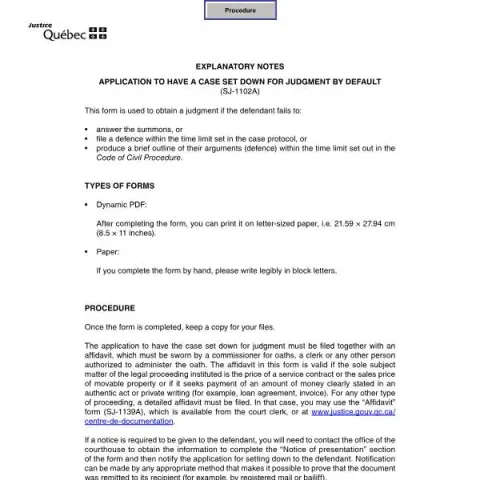
Understanding the Application to Have a Case Set Down for Judgment by Default (Form SJ-1102A) in Québec
The Form SJ-1102A is an official legal document used within the judicial system of the Province of Québec, Canada. Its primary purpose is to request that a court set a case for judgment by default when the defendant has failed to respond appropriately. This article explains who should fill out this form, how to do it correctly, what supporting documents are needed, and where to submit it.
What Is the Purpose of this Form?
This form is used when a plaintiff or claimant wishes to obtain a judgment because the defendant has not:
- Answer the summons within the specified time;
- File a defence or outline of arguments as required by the case protocol or the Code of Civil Procedure;
- Produce relevant evidence or documents within the legal deadlines.
In essence, it allows the court to proceed with a ruling without the defendant's participation, provided the conditions are met.
Who Should Fill Out the Form SJ-1102A?
The applicant is typically the plaintiff or their legal representative who has initiated the legal proceedings. This person must demonstrate that the defendant has failed to respond or act within the prescribed deadlines. It is essential that the applicant has proper documentation to support the application, such as proof of notification to the defendant and relevant affidavits.
How to Complete the Form Correctly
Step 1: Fill in the Case Details
Start by entering the district, locality, and file number assigned to your case. Clearly identify the plaintiff and defendant parties, and specify the nature of the case and the amount in dispute. Ensure all information is accurate and legible.
Step 2: Specify the Request
Indicate whether you are requesting the court to set the case for judgment due to the defendant's failure to answer, file a defence, or produce arguments. You will also need to specify the date and location of the upcoming trial, if applicable.
Step 3: Attach Supporting Documents
The application must be accompanied by an affidavit sworn by a person authorized to administer oaths, such as a commissioner for oaths or a court clerk. The affidavit should confirm that the defendant has failed to respond as required and outline relevant facts, such as partial payments or outstanding balances.
Step 4: Sign and Date
Once completed, the form must be signed by the applicant or their legal counsel, and dated appropriately. Keep a copy for your records before proceeding to the next step.
Supporting Documents and Affidavits
The application must include an affidavit that affirms the facts stated. If the claim involves a specific monetary amount, such as a debt or unpaid invoice, the affidavit should clearly state the amount owed and any partial payments received.
For certain types of cases, a detailed affidavit may be required, especially if the matter involves complex facts or legal arguments. The affidavit should be sworn before an authorized person to ensure its validity.
Fill in your form directly online
No printing: type your details into the boxes of the official form, tick, then download the PDF ready to send.
- 1Type into the form boxes
- 2Tick in one click
- 3Save and download the PDF
Where and How to File the Application
The completed application, along with the sworn affidavit and proof of notification to the defendant, must be filed at the courthouse office where the case is registered. This can be done physically or through the Digital Court Office of Québec, accessible online.
If notification to the defendant is necessary, you should contact the courthouse to obtain the correct address or method for serving the defendant, such as registered mail or bailiff service. Proof of notification must be included when submitting the application.
Common Errors to Avoid
- Failing to include all required information, such as case number or parties' details;
- Not attaching a sworn affidavit or incomplete documentation;
- Incorrect or illegible handwriting if completing the form by hand;
- Neglecting to provide proof of notification to the defendant, where necessary.
Ensuring these elements are correctly addressed will help facilitate the court's review and processing of your application to have a case set down for judgment by default.