Understanding the Landlord's Application for Lock Changes: Form L8
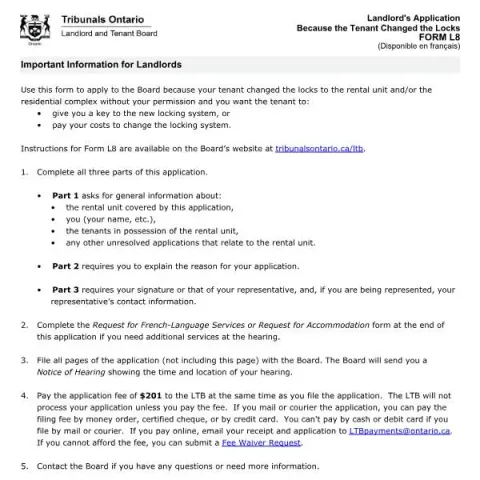
If you're a landlord in Ontario and discover that your tenant has changed the locks on your rental property without your permission, you may need to seek assistance from the Landlord and Tenant Board (LTB). The official form for this situation is called Form L8, titled Landlord's Application Because the Tenant Changed the Locks. This article explains how to complete and submit this form, what information is required, and the steps involved in resolving this common tenancy issue.
Purpose of Form L8
Form L8 is designed to allow landlords to request the Board's intervention when tenants change the locks without consent. The primary objectives are to have the tenant provide a key to the landlord or to recover costs associated with changing the locks. This process helps restore access to the rental unit and ensures that landlords maintain control over their property, in accordance with Ontario tenancy laws.
Who Should Fill Out This Form?
This form is intended for landlords who are facing a situation where their tenant has changed the locks without permission. It is crucial to use this form if you want the Board to order the tenant to either hand over a key or reimburse you for lock replacement costs. If you are a tenant or a property manager acting on behalf of the landlord, ensure you are authorized to submit this application.
How to Complete the Application
Part 1: General Information
This section requires details about the rental property and the involved parties:
- Rental Unit Address: Include street number, name, type, and unit number.
- Landlord Information: Provide your full name, address, contact numbers, and email.
- Tenant Details: List the tenant's name(s) and mailing address if different from the rental address.
- Related Applications: Note any unresolved applications related to this rental unit.
Part 2: Reason for Application
This section is where you clearly explain the circumstances leading to your application:
- Describe how you found out the tenant changed the locks.
- Specify which locking system was altered.
- Indicate the date when the lock change occurred, if known.
- Identify who was responsible for changing the locks, if known.
You must also select whether you want the Board to order the tenant to give you a key or to pay for changing the locks, or both.
Part 3: Signatures and Representation
The application must be signed by the landlord or their authorized representative. If someone is representing you, include their contact information. This signature confirms that all information provided is accurate and complete.
Additional Steps and Filing
Once the form is filled out:
Fill in your form directly online
No printing: type your details into the boxes of the official form, tick, then download the PDF ready to send.
- 1Type into the form boxes
- 2Tick in one click
- 3Save and download the PDF
- Request for Additional Services: Complete the separate form if you require hearing accommodations or services in French.
- Filing the Application: Submit all pages of the completed application to the LTB. You can file it in person, by mail, or courier, and must include the applicable fee.
- Application Fee: The current fee is $201. Payment can be made via money order, certified cheque, or credit card. Online payments require emailing the receipt along with your application.
Important Tips and Common Errors
To ensure your application is processed smoothly, double-check that all sections are completed accurately and completely. Common mistakes include:
- Omitting details about the lock change or the responsible party.
- Failing to include all relevant applications or unresolved issues.
- Not paying the application fee or submitting an incomplete form.
Additional Resources and Support
For detailed instructions, visit the Landlord and Tenant Board’s website at tribunalsontario.ca/ltb. If you have questions or need assistance, contact the Board directly at 416-645-8080 or 1-888-332-3234. Remember, timely and accurate submission of Form L8 helps resolve lock change disputes efficiently, restoring your rights as a landlord and maintaining a safe, accessible rental property.