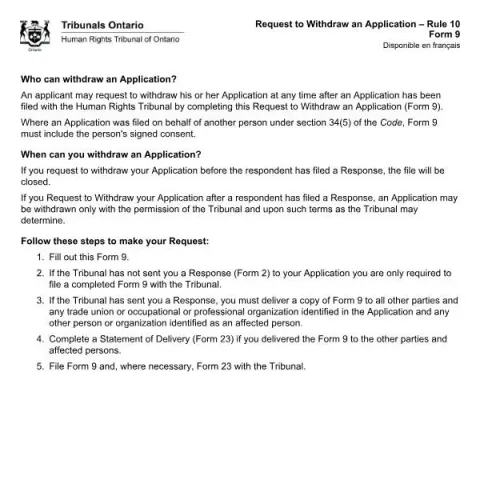
Understanding the Use of the Request to Withdraw an Application – Rule 10 (Form 9) of the Human Rights Tribunal of Ontario
If you have filed an application with the Human Rights Tribunal of Ontario (HRTO) and wish to cancel or withdraw it, the official Request to Withdraw an Application – Rule 10 (Form 9) provides the formal process to do so. This document is essential for anyone involved in a human rights case who considers withdrawing their claim or response before the Tribunal makes a decision.
When Should You Use This Form?
This form is applicable in situations where you want to withdraw your application or response at any stage of the process. Specifically:
- Before the respondent files a Response: If you decide to withdraw your application before the respondent submits their response, completing and submitting Form 9 will result in the case being closed.
- After the respondent has filed a Response: Withdrawal is possible only with the Tribunal’s permission and may be subject to conditions set by the Tribunal. This means that if the respondent has already responded, you will need to request approval from the HRTO to withdraw your application.
Who Can Complete and Submit Form 9?
The applicant, or their authorized representative, can complete this form. When the application was filed on behalf of another person, the form must include that person’s signed consent to withdraw the application. This ensures that the withdrawal is authorized by all relevant parties.
Steps to Complete and File the Form
Follow these steps to properly submit your Request to Withdraw:
- Fill out the form: Provide all required information, including your personal details, the Tribunal file number, and the names of all respondents.
- Determine if the Tribunal has sent a Response: If you have not received a Response (Form 2), you only need to submit the completed Form 9.
- Deliver copies if Response has been received: If a Response has been issued, you must deliver a copy of Form 9 to all parties involved, including any trade unions or organizations identified in the original application, as well as any other affected persons.
- Complete a Statement of Delivery: If you deliver copies to other parties, complete Form 23 to confirm this process.
- File the forms: Submit Form 9 and, if applicable, Form 23, to the HRTO.
Responding to a Withdrawal Request
Parties who receive a request to withdraw an application may respond by completing a Response to a Request for an Order During Proceedings (Form 11). This response must be filed within two days of receiving the withdrawal request and should include a Statement of Delivery (Form 23) to confirm the delivery of the response.
Important Points and Tips
- Timing matters: Withdrawing before the respondent files a Response simplifies the process, as the case will be closed automatically upon filing Form 9.
- Consent required for third-party applications: If the application was filed on behalf of another person, ensure their signed consent is included.
- Legal implications: Withdrawing an application may impact ongoing proceedings or legal rights, so consider consulting legal advice if necessary.
- Accessibility: If you need a paper copy or an accessible format of the form, contact the HRTO directly at their Toronto office or through their contact details.
Contact and Submission Details
Forms can be downloaded from the HRTO’s official website. For assistance or to request a paper or accessible version, contact the HRTO at:
Fill in your form directly online
No printing: type your details into the boxes of the official form, tick, then download the PDF ready to send.
- 1Type into the form boxes
- 2Tick in one click
- 3Save and download the PDF
- Address: 15 Grosvenor Street, Ground Floor, Toronto, ON M7A 2G6
- Phone: 416-326-1312 or toll-free at 1-866-598-0322
- TTY: 416-326-2027 or toll-free at 1-866-607-1240
- Email: available on the HRTO’s website
By understanding and correctly completing Form 9, you ensure your withdrawal request is processed efficiently, respecting the procedural rules of the Human Rights Tribunal of Ontario.