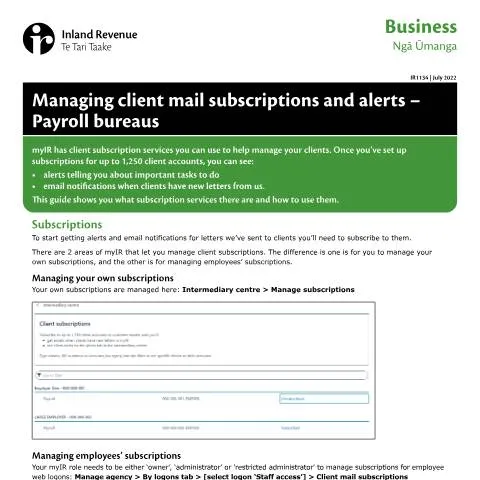
Navigating the Complex Landscape of Client Mail Management: Understanding Form IR1134
In the realm of payroll bureaus in New Zealand, managing client communications is a critical task that can determine the efficiency of service delivery. Imagine a scenario where a payroll bureau has numerous clients, each with specific tax obligations, deadlines, and account statuses. Keeping track of all client correspondence, especially from the Inland Revenue Department (IRD), can quickly become overwhelming. This is where the Managing Client Mail Subscriptions and Alerts – Payroll Bureaus document, officially known as IR1134, comes into play, designed to streamline this process.
Why IR1134 Matters: The Backbone of Client Communication
The role of IR1134 is not merely procedural; it serves as a crucial tool for payroll administrators, providing a structured approach to managing subscriptions and alerts related to client mail. By leveraging the capabilities of the myIR digital platform, bureaus can set up alerts that notify them about important tasks, upcoming deadlines, and any new correspondence from the IRD relevant to their clients. This proactive management significantly reduces the risk of missed communications that could lead to compliance issues for both the bureau and its clients.
Client Alerts and Notifications: A Practical Breakdown
Once a payroll bureau subscribes to client notifications through the myIR system, a host of functionalities becomes available:
- Unread Letters: Alerts notify when clients receive letters that require attention.
- Payment Notifications: Bureaus receive automatic alerts for due or overdue payments.
- Filing Alerts: Notifications inform about upcoming returns that need to be filed, ensuring timely compliance.
By adopting these alert systems, bureaus can manage client communications more effectively, ensuring that no critical updates are overlooked.
Getting Started with IR1134: Subscription Setup
The initiation of the process begins with subscribing to the relevant client accounts through myIR. To set up subscriptions for client mail, follow these essential steps:
- Log into your myIR account and navigate to the Intermediary Centre.
- Select Manage Subscriptions to view the client subscription screen.
- Utilize the filtering options to locate clients by their subscription status.
- Select the clients to subscribe or unsubscribe as needed.
Importantly, the role assigned within myIR determines the level of access one has. To manage subscriptions for employee web logins, your role must be categorized as either ‘owner’, ‘administrator’, or ‘restricted administrator’.
Understanding Subscription Types
Within the myIR framework, there exist distinct areas for managing subscriptions:
- Your Own Subscriptions: These pertain to alerts and notifications regarding your direct clients.
- Employees’ Subscriptions: This allows designated personnel to handle alerts for employee accounts under the payroll bureau’s purview.
This segmentation ensures that each user has tailored access according to their responsibilities, optimizing communication management.
The Impact of Alerts: What Happens After Subscription
After setting up subscriptions, the flow of alerts begins. Each alert is presented in the Intermediary Centre, complete with a title, description, and action link. The immediate benefit of this system is the clarity it brings to managing client obligations and correspondence from IRD.
Dismissing and Managing Alerts
Once alerts are received, users have the option to manage them effectively:
- Dismissing Alerts: If an alert has been addressed in another system, it can be dismissed. Dismissed alerts can be restored if necessary.
- Filtering Alerts: The filtering functionality allows you to sort alerts by priority, ensuring that the most pressing issues are addressed first.
This robust alert management system enables payroll bureaus to maintain a clear oversight of their responsibilities and the needs of their clients without becoming inundated by the sheer volume of communications.
Beyond Subscriptions: Utilizing the All Client Mail Service
While managing subscriptions is essential, payroll bureaus can also benefit from the All Client Mail service. This service offers a broader view of all client correspondence, regardless of subscription status, which can be invaluable for comprehensive oversight.
How to Access and Use the All Client Mail Service
Accessing the All Client Mail service is straightforward:
- Log into myIR and navigate to the Intermediary Centre.
- Select My Clients and then All Client Mail.
This service allows administrators to generate reports encompassing all clients, not just those subscribed, thus ensuring that no correspondence is missed.
Exporting and Managing Client Communications
One of the standout features of the All Client Mail service is the ability to export letters for record-keeping. To facilitate this:
- Input the desired date range in the All Client Mail screen.
- Export the letters as PDFs to a designated folder on your system.
This option not only aids in keeping an organized record of correspondence but also enables efficient review processes for unread mail.
Managing Unsubscribed Clients: A Strategic Approach
A unique aspect of the All Client Mail service is the capability to view alerts for clients who are not subscribed to specific notifications. This can be particularly useful in situations where communication preferences vary among clients.
For those utilizing a 'user' role, the service retrieves reports based on accessible client lists, even if extensive functionalities such as exporting letters are not available. This flexibility ensures that users can still maintain an awareness of client correspondence without overload.
Strategic Choices for Managing Client Mail
When opting to manage client mail solely through the All Client Mail service, there are strategic choices that payroll bureaus can implement:
- Consider unsubscribing from client mail subscriptions to minimize unnecessary email notifications.
- Leave the ‘Mail subscriptions’ option unchecked when generating reports to avoid excess data that may not be relevant.
These choices demonstrate a streamlined approach to managing communications without compromising oversight.
Delving into User Roles: Tailoring Access to Enhance Efficiency
The myIR digital platform emphasizes the importance of user roles and their corresponding access levels. Understanding these roles is crucial for effective management of client subscriptions and alerts.
Role Definitions and Their Implications
Here’s a breakdown of roles and their permissions:
| User Role | Permissions |
|---|---|
| Owner | Full access to manage subscriptions and alerts for all clients. |
| Administrator | Can manage subscriptions for employees and handle alerts. |
| Restricted Administrator | Limited management capabilities; oversees specific subscription functions. |
| User | Basic access; can view alerts but with restrictions on management. |
Each role’s permissions are meticulously designed to ensure that users can operate effectively without the risk of unauthorized access or mismanagement of client data.
Final Thoughts on the Journey Through IR1134
Form IR1134 is not merely an administrative requirement for payroll bureaus; it is a pivotal tool that enhances client communication management through the myIR platform. As bureaus set up subscriptions and alerts, they not only streamline their operations but also ensure that their clients remain compliant with the IRD’s regulations.
By fully understanding the features available through IR1134, payroll bureaus can effectively navigate complexities, ensuring they remain informed and proactive in managing their obligations. Whether it’s through subscribing to alerts, utilizing the All Client Mail service, or managing user roles, the goal remains the same: to provide unparalleled service to clients who rely on their expertise to manage their tax responsibilities. Through conscientious use of this form and associated services, payroll bureaus can elevate their operational efficacy and client satisfaction, marking a significant stride in the landscape of payroll management in New Zealand.