How to File and Pay Your Trade and Business License Online in Jamaica
Filing and paying for your Trade and Business Licence is a mandatory process for certain categories of traders and businesses operating within Jamaica. This guide provides a comprehensive overview of the online procedure, ensuring compliance with the legal requirements set forth by the Tax Administration Jamaica (TAJ). The process is designed to be user-friendly and accessible via the official government portal, facilitating efficient registration, filing, and payment of trade licenses for the upcoming fiscal year.
Understanding the Purpose and Scope of the Trade and Business Licence
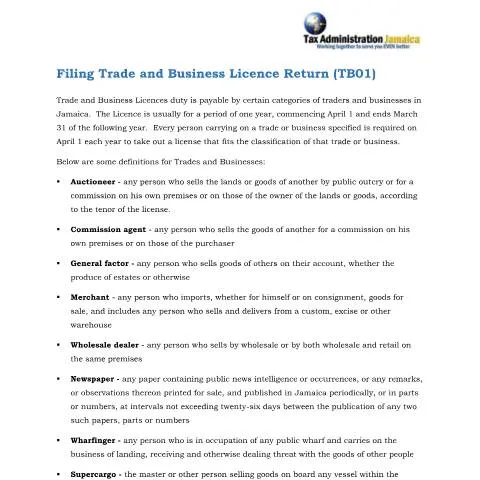
The Trade and Business Licence authorizes the holder to operate within specific commercial categories in Jamaica. It is typically valid for one year, commencing on April 1 and ending on March 31 of the following year. The licence applies to various trades and businesses, including but not limited to:
- Auctioneers: Individuals who sell lands or goods by public outcry or on commission.
- Commission Agents: Persons who sell goods for others on commission, on their premises or those of the purchaser.
- Merchants: Importers and sellers of goods, including those operating from warehouses.
- Wholesale Dealers: Business entities engaged in wholesale or mixed wholesale and retail activities.
- Newspaper Proprietors: Publishers of periodical newspapers containing public news or observations.
- Wharfingers: Operators of public wharves involved in the landing and receipt of goods.
- Supercargos: Individuals selling goods onboard vessels within Jamaican waters.
- Retailers: Sellers operating from fixed locations, buying from importers or merchants for retail sale.
Step-by-Step Guide to Filing Your Trade and Business Licence Online
Step 1: Access the Official TAJ Portal
Begin by visiting the official website of the Tax Administration Jamaica. Locate the login portal where you will access your account. Click on the 'Login' button to initiate the process.
Step 2: Sign In to Your Account
Enter your username and password associated with your Trade and Business Licence account. Once entered, click on 'Sign In' to proceed to your dashboard.
Step 3: Select the Filing Category
Within your account dashboard, navigate to the section titled 'File and Pay the following Taxes.' From the options available, select 'Trade and Business Licence.'
Step 4: Register or Access Your Licence Account
If this is your first time filing, you will need to register for a Trade and Business Licence account by providing necessary details. If you already have an account, simply select 'Trade and Business Licence' under 'Account Type.'
Step 5: Initiate a New Return
Click on 'File Return' corresponding to the relevant filing period—typically, the upcoming fiscal year. You will be prompted to add a new record to commence your application.
Step 6: Complete the Application Details
Select the appropriate application type based on your business classification, such as 'Retailer,' 'Merchant,' or 'Wharfinger.' The system will automatically display the estimated licence and chargeable amounts based on your input, including annual gross sales figures where applicable.
Step 7: Provide Proprietor and Principal Officer Information
Input the proprietor's name and Tax Registration Number (TRN). Next, provide details of the principal officer responsible for the business operations. Ensure all information is accurate to avoid delays.
Step 8: Attach Supporting Documents
Upload any required certifications or supporting documentation. Select the relevant files from your device, give them appropriate descriptions, and click 'Save.' Confirm that the attachments are successfully uploaded before proceeding.
Step 9: Finalize and Submit Your Return
Review all entered information for accuracy. Once confirmed, click 'Next' to submit your application. The system will generate a summary of your submission, including the payable amount.
Payment Process and Confirmation
After submitting your return, proceed to the payment section within the portal. The available payment options typically include online banking, credit/debit card, or other electronic payment methods supported by TAJ. Complete the payment process to finalize your licensing for the year.
Upon successful payment, you will receive a confirmation receipt. It is advisable to retain this document for your records and future reference. The entire process ensures compliance with Jamaica’s revenue laws and facilitates smooth business operations.
Additional Resources and Contact Information
For further assistance, traders and business owners can consult the official TAJ website or contact their customer service helpline. The portal also provides detailed guides and FAQs to support users through each step of the filing and payment process.
Adhering to the prescribed procedures ensures your business remains compliant with Jamaican law and avoids penalties associated with late or non-compliance filings.